Kubernetes: The Powerhouse of modern container orchestration
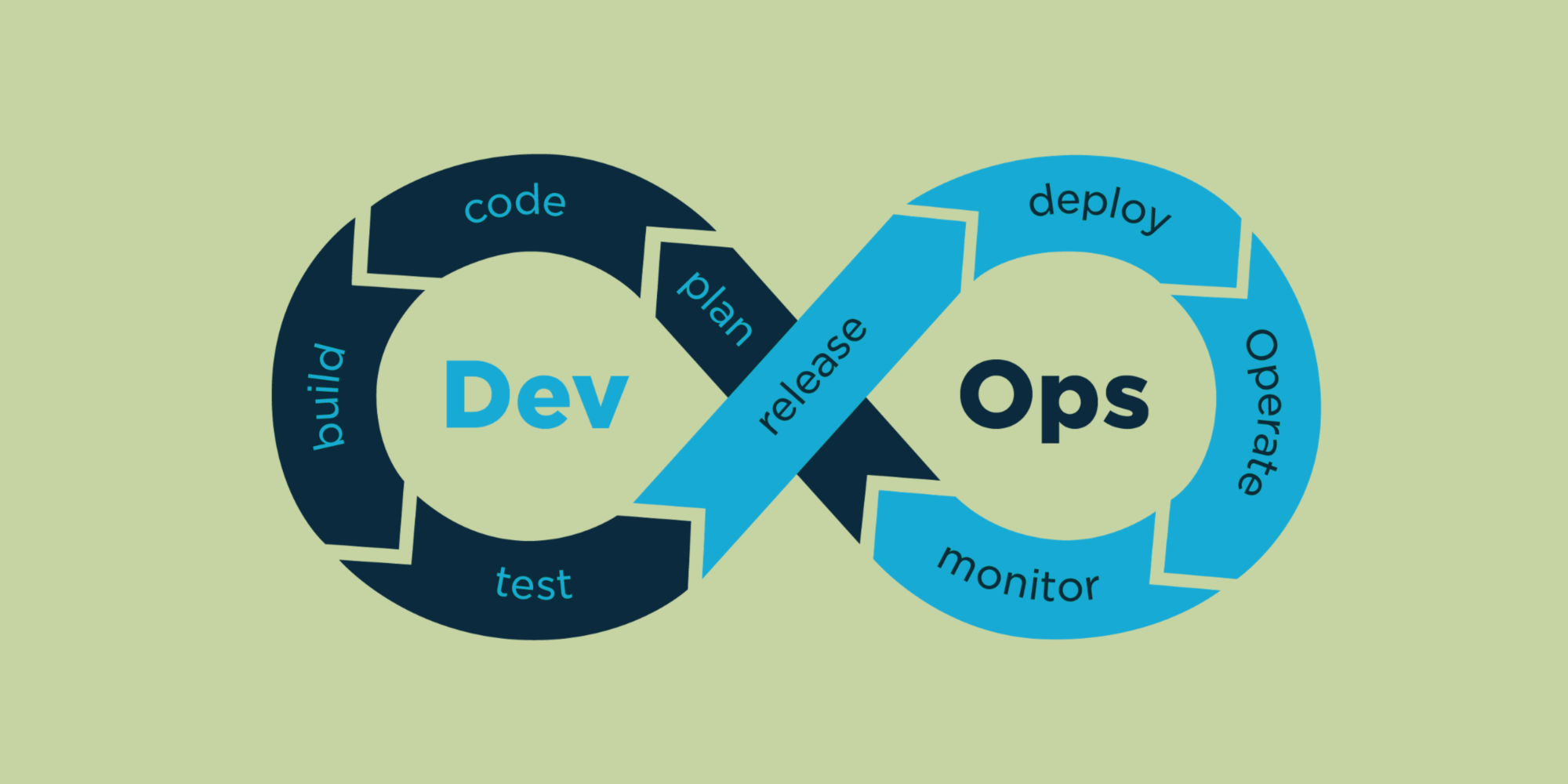
Kubernetes (often abbreviated as K8s) is an open-source platform for automating the deployment, scaling, and management of containerized applications. Initially developed by Google and later handed over to the Cloud Native Computing Foundation (CNCF), Kubernetes has become the industry standard for orchestrating containers. Its robust features and scalability make it an essential tool in modern DevOps practices.
Why Kubernetes?
With the rise of containers, especially Docker, developers and organizations needed an efficient way to manage, scale, and orchestrate these containers in a production environment. Kubernetes addresses these challenges by providing a framework that can automate much of the complexity associated with containerized workloads, such as:
- Automated Deployment and Scaling: Kubernetes automatically deploys applications based on pre-defined rules and adjusts resources to maintain performance even during traffic spikes.
- Self-Healing: It can detect failed containers and restart or replace them without human intervention.
- Load Balancing: Kubernetes distributes network traffic across multiple containers, ensuring that no single instance becomes overwhelmed.
Key Components of Kubernetes
To understand how Kubernetes works, it is essential to break down its core components:
Cluster: A Kubernetes cluster is the foundation of the system. It consists of at least one master node and one or more worker nodes. The master node controls and manages the cluster, while worker nodes run the containerized applications.
Pod: A pod is the smallest and simplest Kubernetes object. It represents a single instance of a running process in a cluster. Usually, a pod contains one container, but it can also run multiple tightly coupled containers that share resources.
Node: Nodes are physical or virtual machines in a Kubernetes cluster. Each node runs pods and contains services like a container runtime (e.g., Docker), kubelet (agent responsible for communication with the master), and kube-proxy (manages networking for pods).
Service: A service in Kubernetes exposes an application running in a set of pods. It acts as a stable endpoint (or IP address) for these dynamic pods, allowing seamless communication within and outside the cluster.
Controller: Controllers continuously monitor the state of the cluster and make necessary adjustments to ensure the desired state is achieved. Examples of controllers include:
- ReplicaSet: Ensures that the specified number of pod replicas are running at any given time.
- Deployment: A higher-level abstraction for managing ReplicaSets, used for rolling updates and rollbacks.
Namespace: Namespaces are used to divide cluster resources between multiple users or teams. They create isolation within a single cluster, making it easier to manage complex environments.
ConfigMap and Secret: These objects are used to manage configuration data separately from the containerized applications. ConfigMap stores non-sensitive information, while Secret handles sensitive data like API keys or passwords, ensuring that sensitive information is stored securely.
How Kubernetes Works
At the heart of Kubernetes is the concept of declarative configuration. This means that, as a user, you declare the desired state of your system (e.g., how many replicas of an application you want running), and Kubernetes will ensure that the actual state matches your desired state.
Kubernetes uses a control loop to continuously monitor and adjust the system. This means that if something goes wrong (such as a pod crashing), Kubernetes will automatically attempt to restore the system to its desired state by restarting or replacing the failed pod.
Here’s a simplified overview of the workflow:
User defines a desired state: You specify, through YAML or JSON files, how your application should behave, including how many instances should run, what environment variables should be used, and how services should be exposed.
Kubernetes schedules the workload: The Kubernetes scheduler places containers on nodes based on resource availability, affinity rules, and more.
Kubernetes monitors the state: The kube-controller-manager continuously monitors the state of the cluster and ensures that the actual state matches the desired state. If discrepancies occur (e.g., a node fails), Kubernetes takes action, such as rescheduling pods on different nodes.
Load balancing and scaling: Kubernetes includes a built-in load balancer to distribute traffic evenly across all pods in a service. It also has an autoscaler that can automatically increase or decrease the number of running instances based on traffic or CPU usage.
Benefits of Kubernetes
Scalability: Kubernetes allows you to scale your applications horizontally by automatically adjusting the number of running containers based on demand.
Portability: Kubernetes is platform-agnostic and can run on any cloud provider or on-premises infrastructure. This makes it easy to migrate workloads between environments.
Resilience and Fault Tolerance: Kubernetes is designed to handle failures gracefully. It restarts failed containers, reschedules workloads, and can shift traffic away from unhealthy pods, ensuring high availability.
Efficient Resource Utilization: Kubernetes automatically schedules and distributes workloads based on available resources, ensuring that no single node becomes overloaded while others remain underutilized.
Rolling Updates and Rollbacks: With Kubernetes, you can roll out updates to your applications incrementally, minimizing downtime. If something goes wrong, it also supports rolling back to a previous version without much hassle.
Self-Healing: Kubernetes continuously monitors your system’s health and will attempt to recover from failures without user intervention.
Challenges of Kubernetes
While Kubernetes offers many benefits, it’s not without challenges:
- Complexity: Kubernetes can be difficult to learn and set up, especially for teams without prior experience in container orchestration.
- Steep Learning Curve: The range of features and configurations can be overwhelming for beginners.
- Cost Overhead: While Kubernetes itself is open-source, managing and maintaining a Kubernetes cluster (especially on-premises) can incur significant costs, including compute resources and skilled personnel.
Popular Use Cases
Microservices: Kubernetes is well-suited for microservices architectures, where applications are broken down into small, independent services that can be deployed and scaled individually.
Continuous Integration/Continuous Deployment (CI/CD): Kubernetes integrates seamlessly with CI/CD pipelines, allowing for automated testing, building, and deployment of new versions of software.
Hybrid and Multi-Cloud Deployments: Kubernetes allows organizations to deploy their applications across multiple clouds or a mix of on-premises and cloud environments.
Edge Computing: Kubernetes can manage workloads closer to the edge of the network, providing reduced latency and better resource allocation for edge computing use cases.
Kubernetes has revolutionized how modern applications are deployed and managed. Its powerful orchestration capabilities, scalability, and fault tolerance make it the go-to solution for businesses seeking to streamline their containerized environments. Despite its complexity, the investment in learning Kubernetes pays off with increased agility, resource efficiency, and resilience. Whether you’re running microservices, large-scale distributed systems, or even simple applications, Kubernetes provides a robust and flexible platform for managing containerized workloads at any scale.